
Looking for the best gaming chair under ₹10,000 in India? You are not alone.With more people working from home and spending long hours gaming, a comfortable and supportive chair has become an essential part of everyday life rather than just a luxury. It is a daily necessity.
Choosing a dependable chair at this price can be challenging, especially with so many racing-inspired models available across online shopping platforms. Many of them look identical. Many budget chairs come with flashy colours, sporty designs, and basic cushions, but an attractive appearance doesn’t guarantee proper back support. Sitting for 8–10 hours daily in a poorly designed chair can lead to lower-back pain, neck stiffness, and discomfort over time.
This guide will help you look past attractive marketing claims and choose a chair that provides proper ergonomic support, lasting comfort, and good value for your money. We will explore exactly what components you need, which Indian brands offer the best value, and how to maintain your chair so it lasts for years.
1. Quick Answer: The Non-Negotiable Features (Under ₹10,000)
With a budget of ₹10,000, you may not get all the advanced features found in a premium ₹30,000 chair, but you should never compromise on safety, durability, or build quality. Before making a purchase, ensure the chair includes these four essential features:
A Class 4 Gas Lift
The gas lift is the metal cylinder under the seat.This mechanism adjusts the chair’s height to suit your needs. Some budget models cut costs by using low-quality or poorly rated gas lifts, which may gradually lose pressure and cause the seat to sink during use. In worst-case scenarios, they can fail completely. Look for a Class 4 gas lift with clearly stated safety certifications and load ratings. Check the manufacturer’s specifications to confirm the chair’s maximum weight capacity, as this can vary between models.
High-Density Moulded Foam
Choose a chair with a Class 4 gas lift and verified certification details. Before buying, review the official product specifications to ensure its weight limit matches your requirements. Once it flattens, you will feel the hard wooden or metal base underneath. Choose a chair with high-density moulded foam, which is shaped under controlled conditions to provide lasting firmness. It helps the seat retain its form over time and offers comfortable support for your hips and tailbone.
Adjustable Lumbar and Neck Cushions
A flat backrest will ruin your posture. Your spine naturally curves into an S-shape, so proper support is important when sitting for long periods. Choose a gaming chair with lumbar and neck cushions that can be adjusted using straps, allowing you to position them according to your height and comfort needs.
A Strong Recline Mechanism
Staying upright for hours can become uncomfortable, so a gaming chair with a reclining backrest is worth considering. Look for a model that tilts between 135° and 165°, allowing you to lean back, relax your back, and take short breaks between gaming sessions.
2. Top Gaming Chair Brands Under ₹10,000 in India
(Note: Prices may fluctuate during major shopping events, including Amazon’s Great Indian Festival, Flipkart’s Big Billion Days, and Diwali sales. Check current prices before purchasing.A chair listed at ₹12,000 may easily drop to ₹8,999. Always check current online listings.)
1. Green Soul (Monster & Jupiter Series)
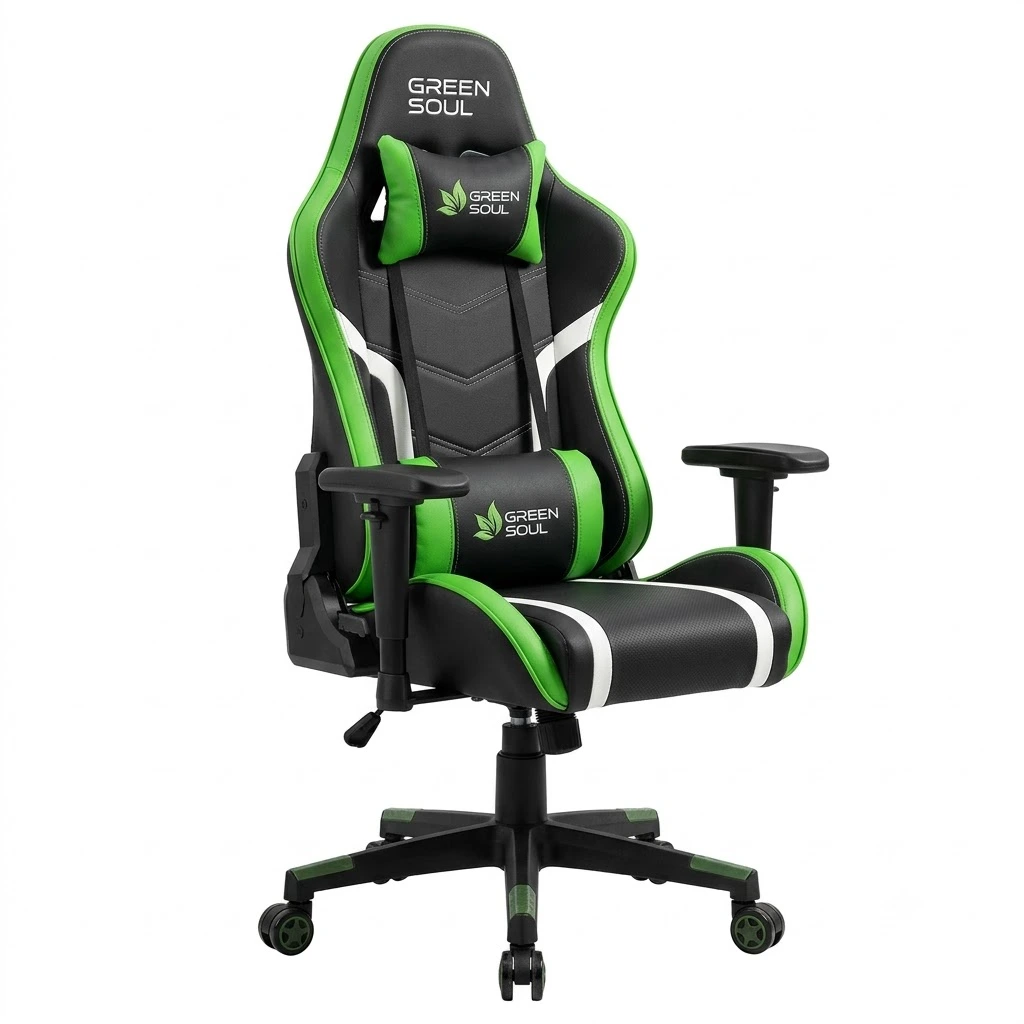
- Ergonomic Design: Designed to support comfortable sitting during long gaming or work sessions.
- Adjustable Features: Selected models offer adjustable armrests, reclining backrests, and height adjustment.
- Lumbar and Neck Support: Cushions help support the lower back and neck.
- Comfortable Seating: Monster models generally focus on gaming-style cushioning, while Jupiter models offer ergonomic seating options.
- Sturdy Construction: Built with a strong base and a gas lift for everyday use.
- Best For: Gamers, students, and professionals who spend long hours at a desk.
- Buying Tip: Features vary by model, so check the exact specifications, weight capacity, and warranty before purchasing.
Best For: Buyers who prioritise sturdy construction and reliable everyday comfort.
What Makes Them Different: Many Green Soul chair models feature dense cushioning designed to provide comfortable seating and maintain its shape over time. Their metal frames are heavy and durable. One key advantage is the availability of replacement parts and support options. If a chair wheel gets damaged after a few years, you may be able to order a compatible replacement through the brand’s official website or customer service.
2. Cellbell (GC Series)
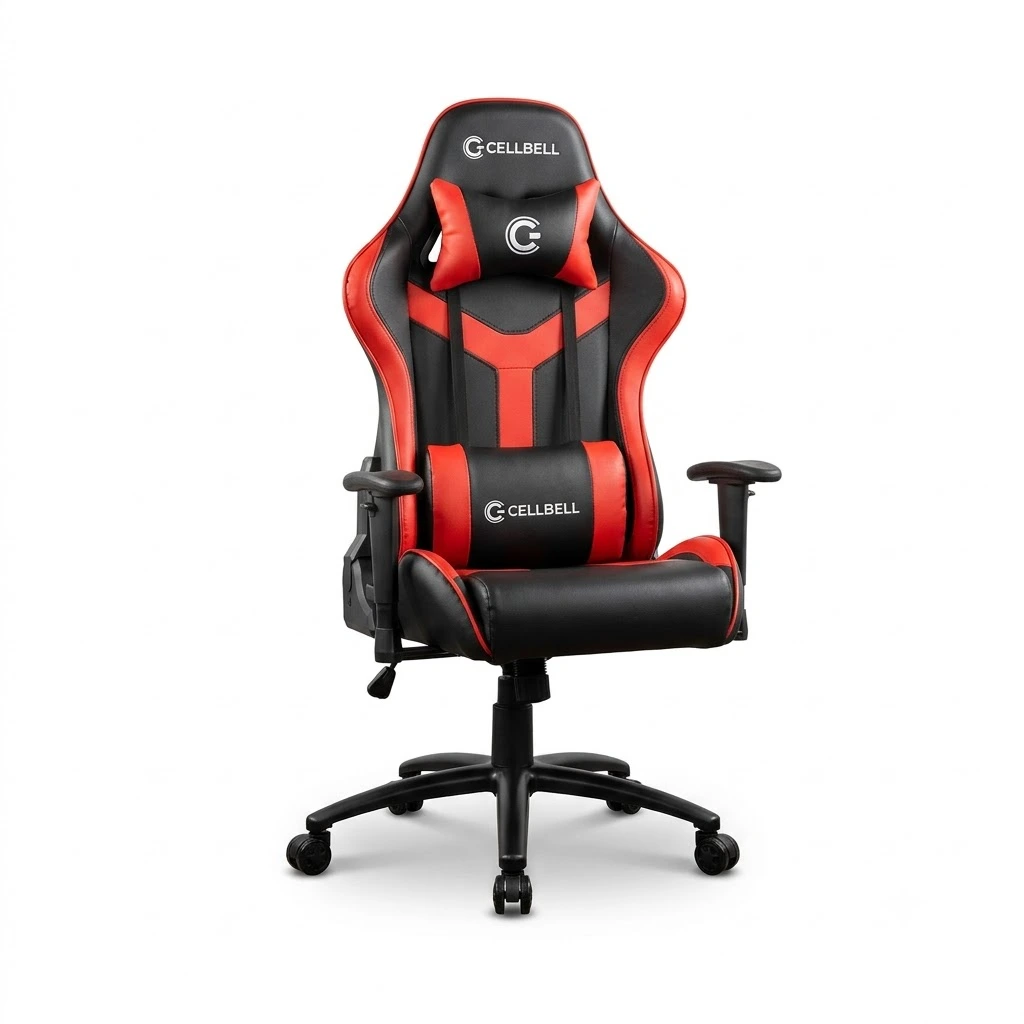
- Racing-Style Design: Features a sporty gaming-chair look suitable for gaming rooms and office setups.
- Comfortable Padding: Selected models offer cushioned seats and backrests for everyday comfort.
- Adjustable Height: Gas-lift adjustment helps you find a suitable sitting position.
- Reclining Backrest: Some models allow you to lean back and relax during breaks.
- Armrests: Armrest design and adjustability vary across models.
- Best For: Budget-conscious gamers, students, and home-office users.
- Value for Money: Offers entry-level seating options for buyers looking for a gaming-style chair at an affordable price.
Best For: Buyers on a strict budget who still want the gamer aesthetic.
Cellbell focuses on budget-friendly seating, offering several gaming chair models in the ₹6,000–₹9,000 price bracket. Their customer service is generally responsive via WhatsApp. However, their foam density is slightly softer than Green Soul’s, which means heavier users might flatten the seat faster.
3. Savya Home
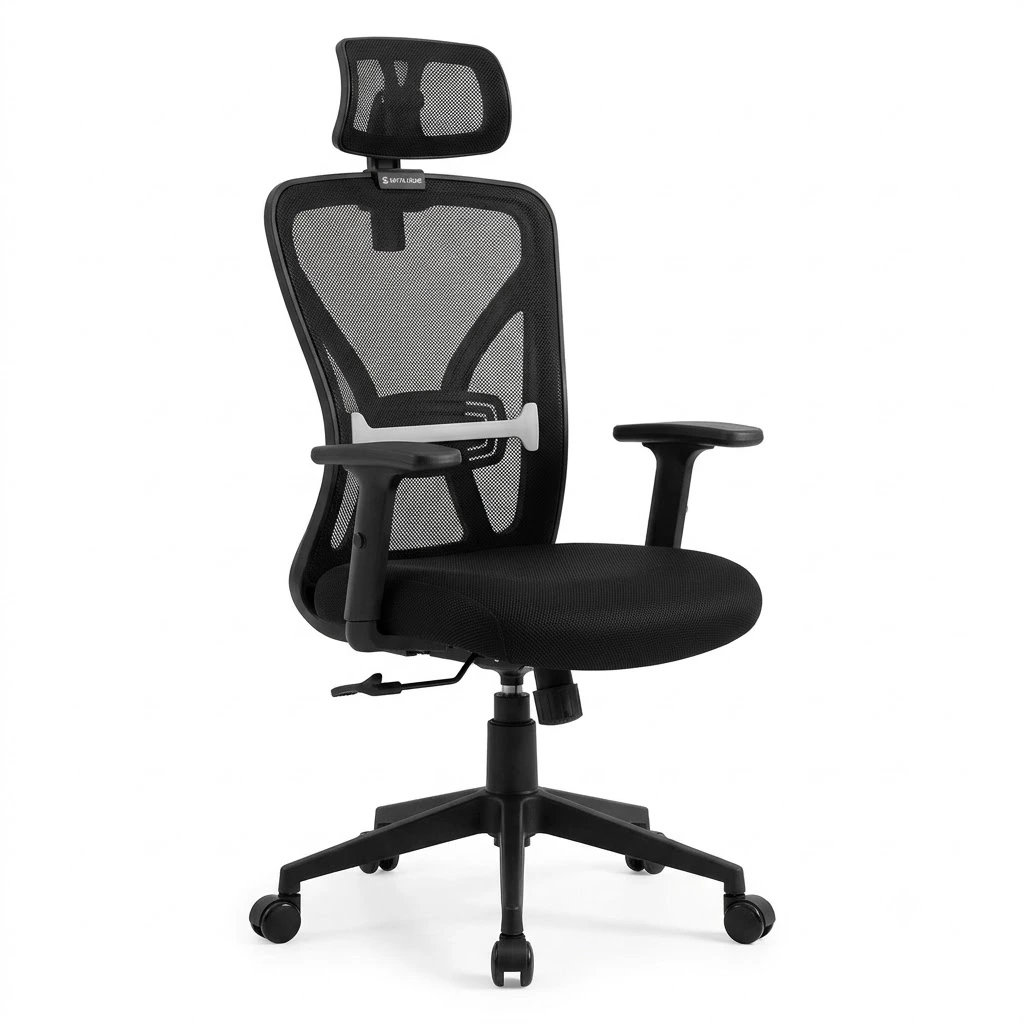
- Ergonomic Design: Offers office and gaming chairs designed for comfortable everyday seating.
- Comfortable Cushioning: Selected models feature padded seats and backrests for added comfort.
- Adjustable Height: Gas-lift mechanisms help users adjust the chair to their preferred desk height.
- Lumbar Support: Some models include lumbar support to help maintain a comfortable sitting posture.
- Breathable Materials: Mesh-back options promote airflow during long working hours.
- Sturdy Base: Designed for stability during regular office or home use.
- Best For: Students, professionals, and home-office users looking for budget-friendly seating.
Best For: Teenagers, lighter adults, and casual gamers.
What Makes Them Stand Out: Their range includes budget-friendly chairs that are suitable for first-time gaming chair buyers. Their chairs feature a sporty racing-inspired design, movable armrests on selected models, and cushions for added back support. They are a good starting point, but the overall plastic quality on the armrests and base can feel a bit cheap.
4. Dr. Luxur
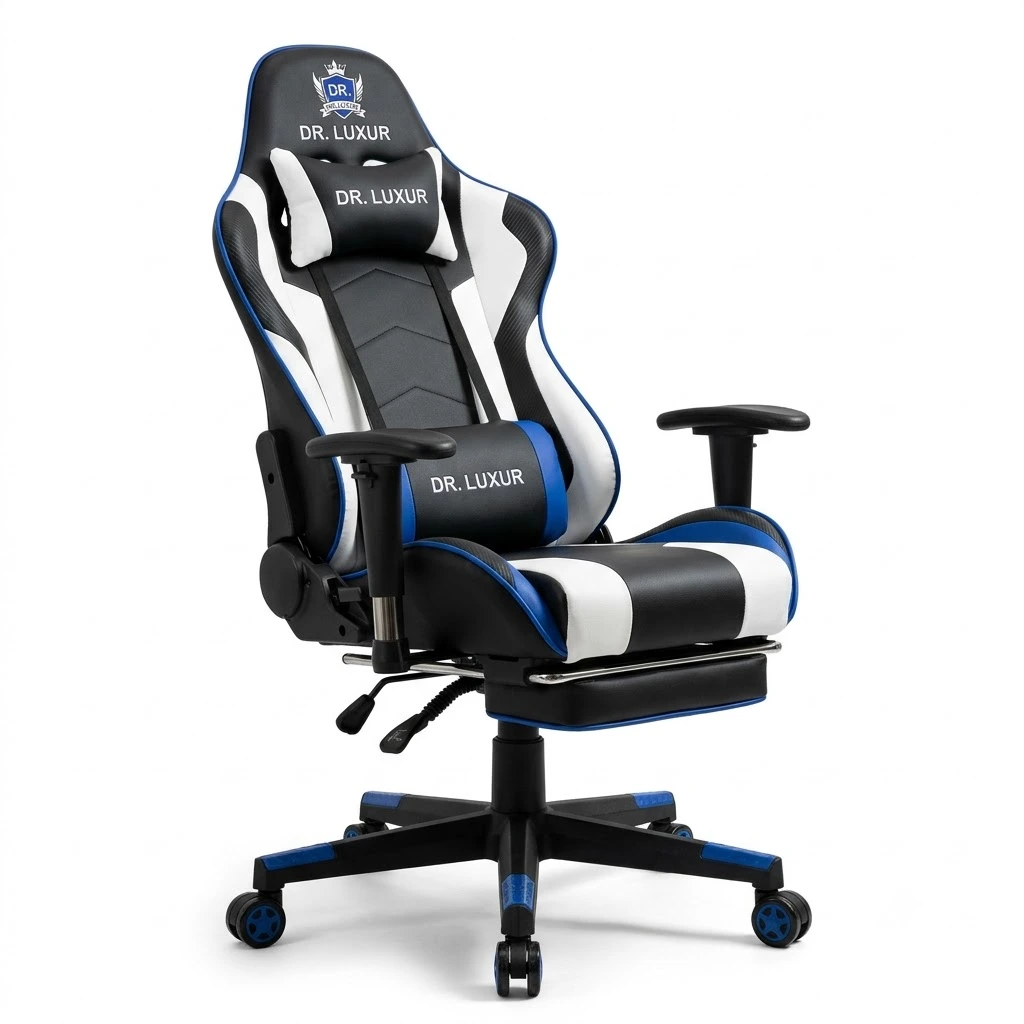
- Gaming-Style Design: Offers stylish chairs suitable for gaming rooms and home offices.
- Comfortable Seating: Selected models feature padded seats and backrests for everyday comfort.
- Adjustable Height: Height-adjustment mechanisms help users find a suitable sitting position.
- Reclining Function: Some models offer a reclining backrest for relaxing between work or gaming sessions.
- Support Cushions: Selected chairs include lumbar and neck pillows for additional support.
- Sturdy Construction: Designed with a supportive base for regular use.
- Best For: Gamers, students, and professionals looking for comfortable seating at different price points.
Best For: Gamers looking for wider seats and unique color options.
What Makes Them Stand Out: Their range includes budget-friendly chairs that are suitable for first-time gaming chair buyers. A footrest is nice for watching movies, but the joints can be weak.Handle the footrest carefully and avoid putting excessive pressure on it, as this could damage or break its plastic support rails.
5. Drogo
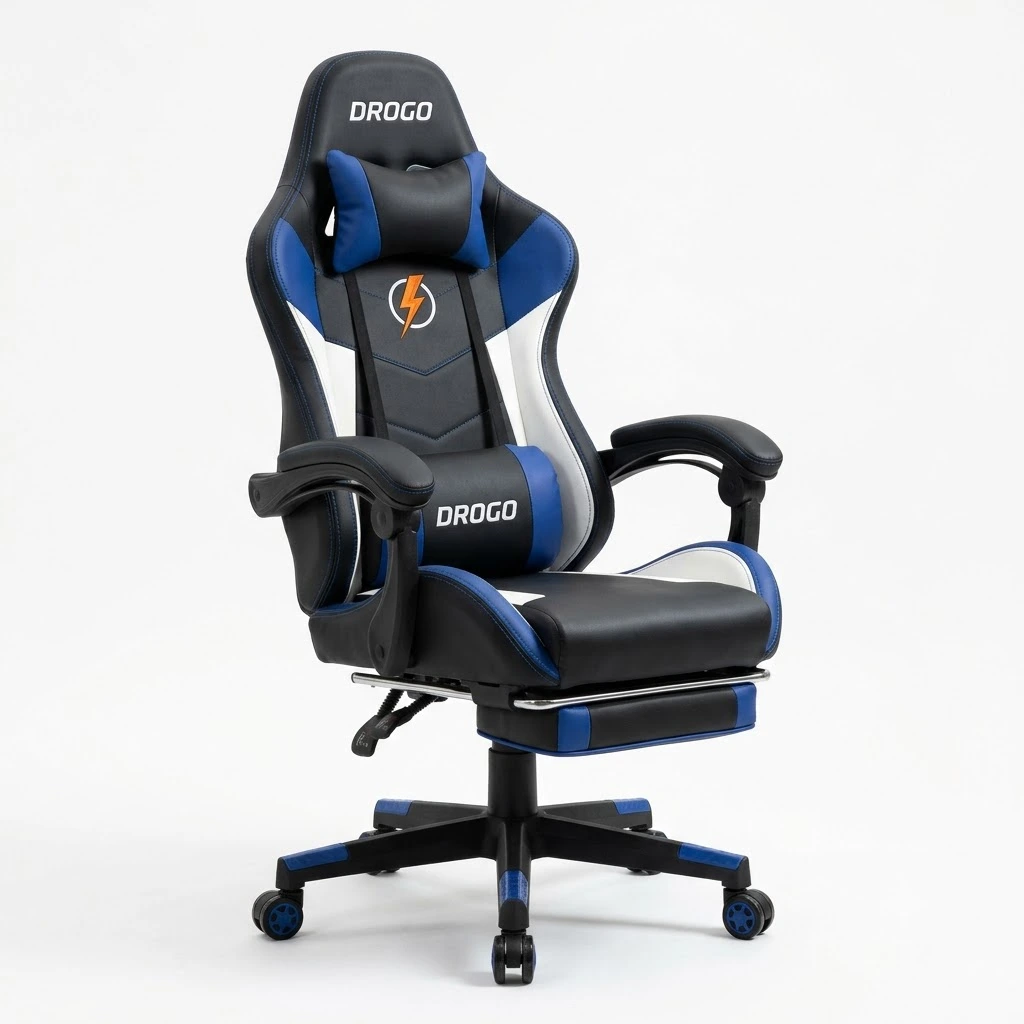
- Gaming Design: Offers sporty gaming chairs suitable for gaming setups and home offices.
- Comfortable Seating: Selected models feature cushioned seats and padded backrests.
- Adjustable Height: Helps users set the chair at a comfortable desk height.
- Reclining Backrest: Some models offer reclining functionality for added relaxation.
- Lumbar and Neck Support: Selected models include support cushions for improved sitting comfort.
- Sturdy Base: Designed for stability during everyday use.
- Best For: Budget-conscious gamers, students, and home-office users.
Best For: First-time buyers who are upgrading from a plastic dining chair.
Why They Stand Out: They offer a massive upgrade over a standard plastic or wooden chair. However, expect lower-grade PU leather and Class 3 gas lifts on their cheapest models.
3. The Ultimate Buyer’s Checklist: Specs You Must Check
When evaluating a gaming chair under ₹10,000, ignore the flashy photos. Read the technical specification sheet carefully. Look for these exact terms:
| Component | ✅ What to Look For | ❌ What to Avoid | 💡 Why It Matters |
|---|---|---|---|
| 🛠️ Internal Frame | Metal (Steel Tube) | Plywood or Plastic | A well-built metal frame can offer better durability under regular use, including reclining. |
| ⭐ Wheel Base | Heavy-Duty Metal or Nylon | Low-Quality Plastic | A strong base supports the chair and helps it remain stable. Check the rated weight capacity. |
| 💺 Armrests | Adjustable Armrests | Fixed Armrests | Adjustable armrests make it easier to position your arms comfortably at desk height. |
| 🛞 Caster Wheels | PU-Coated Wheels | Basic Hard Plastic | Polyurethane-coated wheels often roll more quietly and are gentler on suitable floors. |
| 🧵 Upholstery | Breathable Fabric or Quality PU | Thin, Low-Quality PVC | Fabric can improve airflow in hot weather, while quality upholstery helps resist everyday wear. |
4. The Indian Climate Challenge: PU Leather vs. Fabric
The biggest problem with budget gaming chairs in India is the material. Almost all chairs under ₹10,000 use PU (Polyurethane) leather. This is an artificial, plastic-based fake leather.
The Heat Problem
PU leather does not breathe. It traps your body heat. If you live in a hot or highly humid city like Mumbai, Chennai, Kolkata, or Delhi, a PU leather chair can be uncomfortable. If you sit in a room without an air conditioner, your back and thighs will sweat heavily.
The Peeling Problem
When you sweat on cheap PU leather, the salt and moisture attack the material. Combined with the constant rubbing of your clothes, the fake leather will start to crack. After 12 to 18 months, it will start peeling off in small black flakes, ruining your room and your clothes.
The Solution for Indian Gamers
Look for Fabric: Some budget chairs now offer a “fabric hybrid” or full fabric design. Fabric breathes naturally, keeping you much cooler. It is much better for non-AC rooms.
Use a Towel: If you must buy a PU leather chair, place a cotton towel over the seat and backrest during the summer. The towel will absorb your sweat and protect the leather.
Clean it Regularly: Wipe the chair down with a damp microfiber cloth every week to remove body oils and sweat.
5. Gaming Chair vs. Ergonomic Office Chair: Which Should You Buy?
At the ₹10,000 price point, you actually have two choices: a racing-style gaming chair or an ergonomic mesh office chair. Both have pros and cons.
When to Buy a Gaming Chair
- You want full back support: Gaming chairs have high backrests. They support your shoulders, neck, and head. Standard office chairs stop at the middle of your back.
- You recline often: If you like to lean back to watch movies, play with a controller, or take a nap, gaming chairs are superior. They can tilt back completely.
- Aesthetics matter: If you stream on YouTube or Twitch, or just want a cool-looking setup, a gaming chair looks much better on camera.
When to Buy an Ergonomic Mesh Office Chair
- Your room is very hot: Mesh office chairs have a net-like backrest. Air flows right through them. You will never sweat on a mesh chair.
- You only type: If you strictly do typing work and sit upright the entire time, a good mesh office chair often provides better built-in lower back support.
- You want a professional look: If you take a lot of corporate Zoom calls, a bright red gaming chair might look out of place.
- The Verdict: If you sleep, recline, or play games with a controller, buy the gaming chair. If you only type code in a hot room, buy a mesh office chair.
6. How to Sit Properly: Ergonomics 101 for Gamers
Buying a ₹10,000 chair will not fix your back pain if you sit in it incorrectly. Follow these simple steps to set up your chair perfectly:
- Set the Height: Adjust the gas lift so your feet are completely flat on the floor. Your knees should form a perfect 90-degree angle. If your legs are dangling, blood flow will stop, causing numbness.
- Position the Lumbar Pillow: Slide the lower back pillow down until it perfectly fills the curve just above your belt line. It should support you, not push you forward awkwardly.
- Adjust the Armrests: Raise or lower the armrests until they are level with your desk. Your elbows should rest comfortably at a 90-degree angle while typing or using the mouse. This stops shoulder pain.
- Monitor Height: The top of your computer monitor should be exactly at your eye level. If you have to look down, your neck will hurt.
7. Step-by-Step Assembly Guide for Your New Chair
When you buy a gaming chair online, it comes in a large, heavy box. You have to build it yourself. It takes about 30 to 45 minutes. Here is the safest way to do it:
- Step 1: Unbox and Organize. Take everything out. Place the screws and washers on a table so you do not lose them. The box will include an Allen key (a small metal tool) to tighten the bolts.
- Step 2: Build the Base. Push the five wheels firmly into the metal star base. They will click into place.
- Step 3: Insert the Gas Lift. Drop the gas lift cylinder into the center hole of the star base. Place the plastic cover over it.
- Step 4: Attach the Seat Mechanism. Turn the seat cushion upside down. Bolt the heavy metal tilt mechanism to the bottom of the seat. Make sure the arrow points toward the front of the seat.
- Step 5: Attach the Armrests. Bolt the armrests to the sides or bottom of the seat cushion.
- Step 6: Combine Base and Seat. Lift the seat and place it carefully on top of the gas lift cylinder. Press down.
- Step 7: Attach the Backrest. Slide the backrest between the metal brackets on the seat. Insert the side bolts and tighten them completely. Attach the plastic side covers.
(Pro Tip: Do not tighten bolts 100% on one side immediately. Thread all bolts loosely first so the holes line up, then tighten them all at the end.)
8. Maintenance Guide: How to Make Your Budget Chair Last 5 Years
A chair under ₹10,000 can easily last 5 years if you take care of it. If you abuse it, it will break in 6 months.
- Fixing Squeaks: Budget chairs use metal-on-metal springs. After a few months, they will start to squeak loudly when you rock back and forth. Buy a small can of WD-40 (a spray lubricant) from a local hardware store. Spray a tiny amount directly onto the springs and metal joints under the seat. The squeaking will stop instantly.
- Tighten the Bolts: The bolts holding the backrest and armrests will slowly become loose from daily movement. Keep the Allen key in your desk drawer. Every 3 to 4 months, check all the bolts and tighten them up.
- Protecting the Wheels: If you roll your chair over thick carpets, hair and dust will get tangled inside the wheels. This makes the chair hard to move. Flip the chair over once a year and pull the hair out of the wheels using tweezers.
- Cleaning the Leather: Never use harsh chemicals, bleach, or alcohol-based hand sanitizers to clean the chair. They will destroy the PU leather. Use a slightly damp cloth with mild soap, and dry it immediately with a dry towel.
9. Frequently Asked Questions (FAQ)
Are gaming chairs under ₹10,000 durable enough for heavy people?
Yes, provided you check the specifications. If the chair has a BIFMA Class 4 gas lift and a heavy-duty metal star base, it can safely support users up to 120kg. However, if you weigh more than 100kg, avoid chairs with plastic bases, as they can snap.
Which is better: a gaming chair or an ergonomic office chair?
At the ₹10,000 price point, ergonomic mesh office chairs offer much better cooling and breathability. However, gaming chairs offer full neck, head, and shoulder support. If you sleep, watch movies, or lean back heavily, a gaming chair is better. For pure typing in a hot, non-AC room, a mesh office chair wins.
Do gaming chairs cure lower back pain?
No chair will magically “cure” medical back pain. However, an ergonomic gaming chair with a good lumbar pillow forces your spine into a healthy, neutral posture. This heavily reduces the physical stress on your muscles, which stops everyday fatigue and soreness from building up.
Why does my gaming chair peel after a year?
The chair is likely made of cheap PU leather. Heat, humidity, body sweat, and the friction of your clothes break down the artificial plastic coating. To prevent peeling, keep the chair out of direct sunlight, wipe away sweat regularly, and consider placing a cotton towel over the seat during the hot Indian summer.
Are built-in footrests on budget gaming chairs worth it?
Usually, no. While a footrest sounds great for relaxing, the footrests on sub-₹10,000 chairs use thin plastic rails. They feel flimsy and often break if you put too much weight on them. It is better to spend your ₹10,000 on a chair with a stronger frame and better foam rather than a cheap footrest.
Read also: